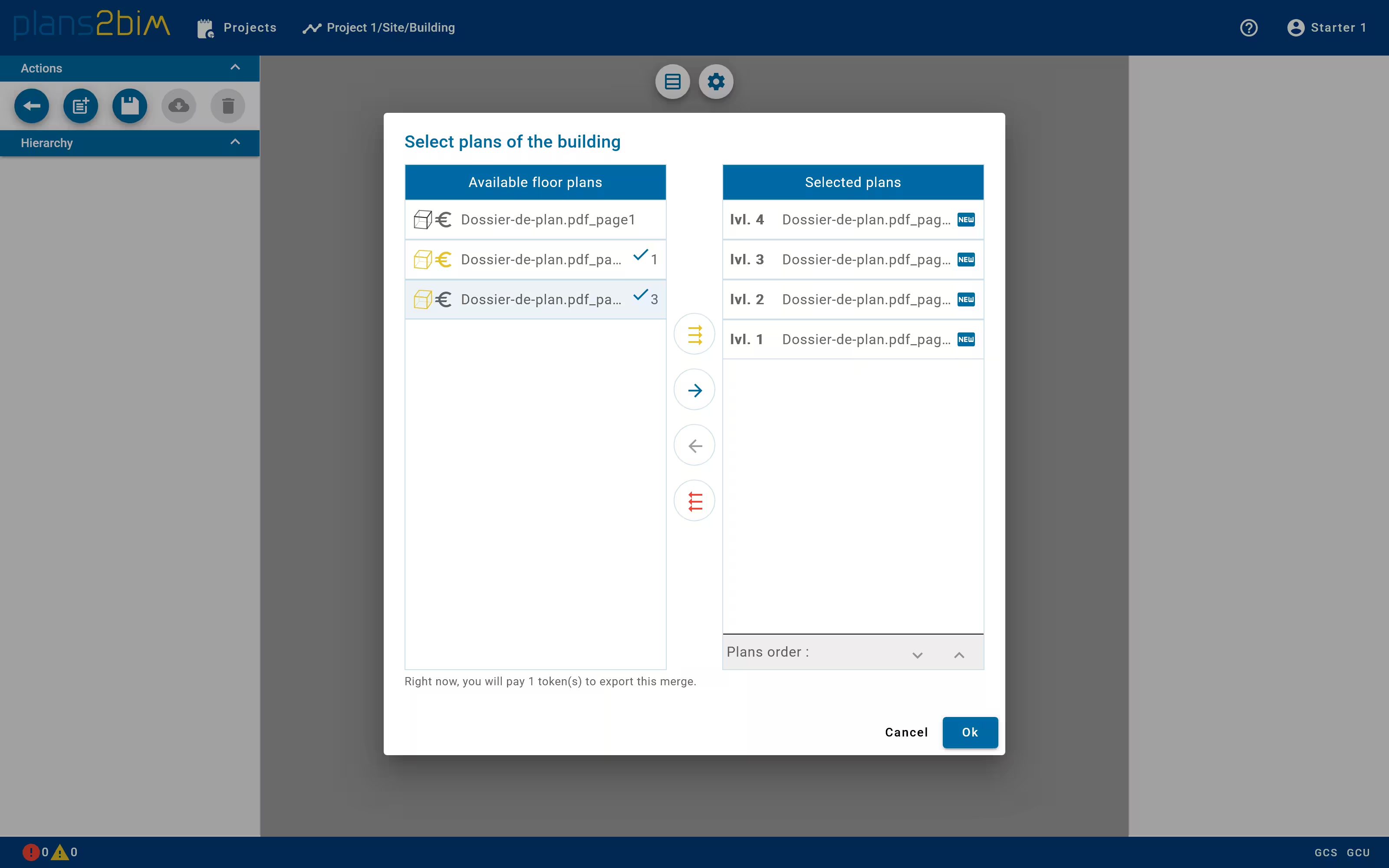
Select building levels
If the assembly project is empty, a pop-up is open to select the plans that compose the building. On the left a list enumerates all available plan, indicating also if they have been modeled and paid (Starter). The selected levels are listed in the right. One can add all files to the building by clicking on the top button. It is possible to add a single file one or many times by clicking on the second button.
To remove a level from the building list, simply select the level and click on the third button. To clean all levels, click on the last button.
To change the order of levels, select a level and use the arrow button at the bottom of the list.
After validate, the assembly is initialized.
It is possible to update the list later, by clicking on the Select files button in the menu of the left panel.