Import a PDF
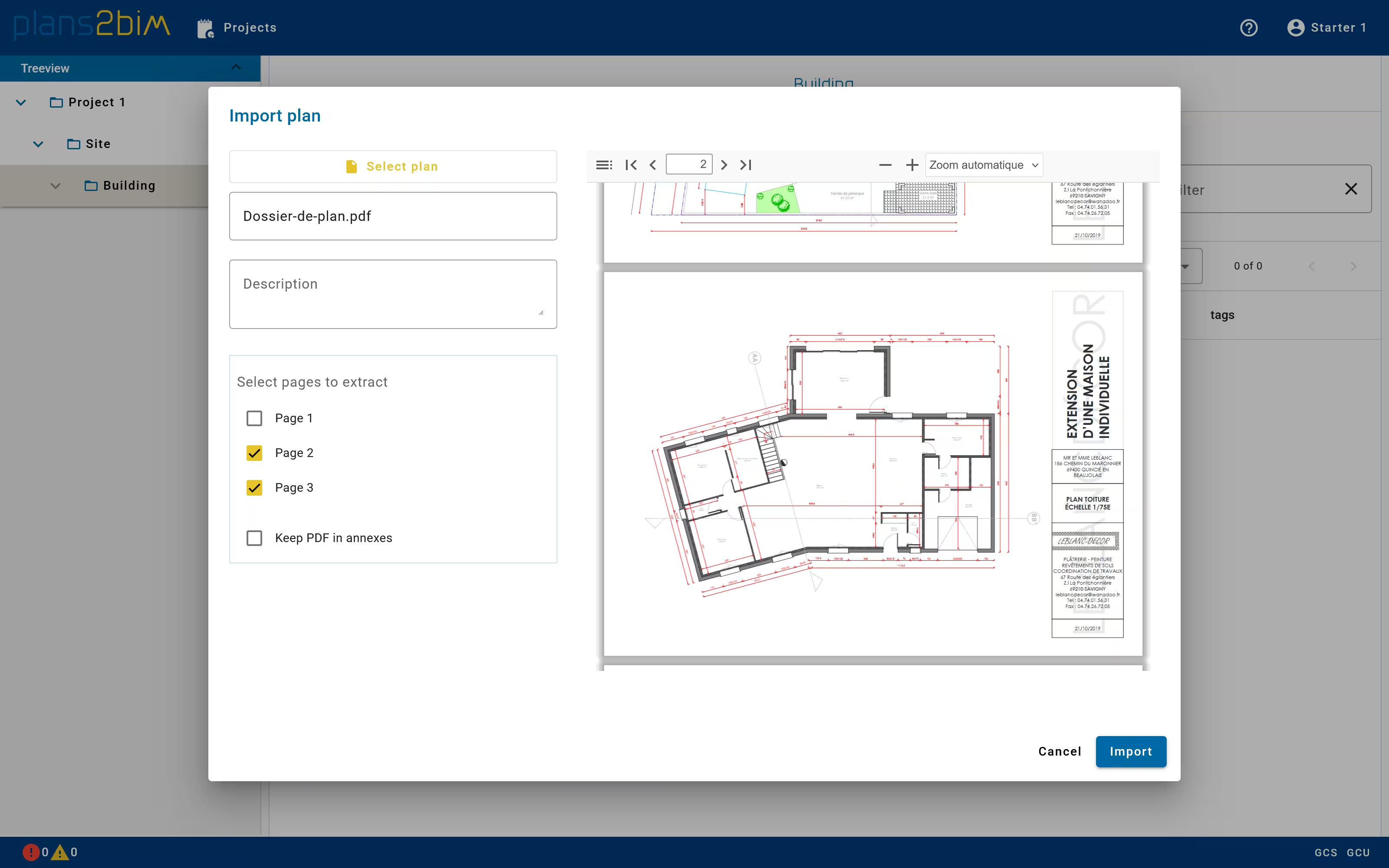
A new plan of a building storey can be imported from an PDF file. The user can drag&drop the file in the building or level directory or opening the selection pop-up by clicking on Import plan button.
It is then possible to select a local file that represents a 2D architectural plan. After selecting the file a thumbnail will be displayed in the pop-up. If the PDF contains multiple pages, a list of checkboxes is added to select each page that will imported in the current directory.
The user can define a new name of the plan and also add a description. If many pages are extracted, the name of each page will be composed by the main name and the page number as a suffix. Both name and description can be changed later when selecting the plan.