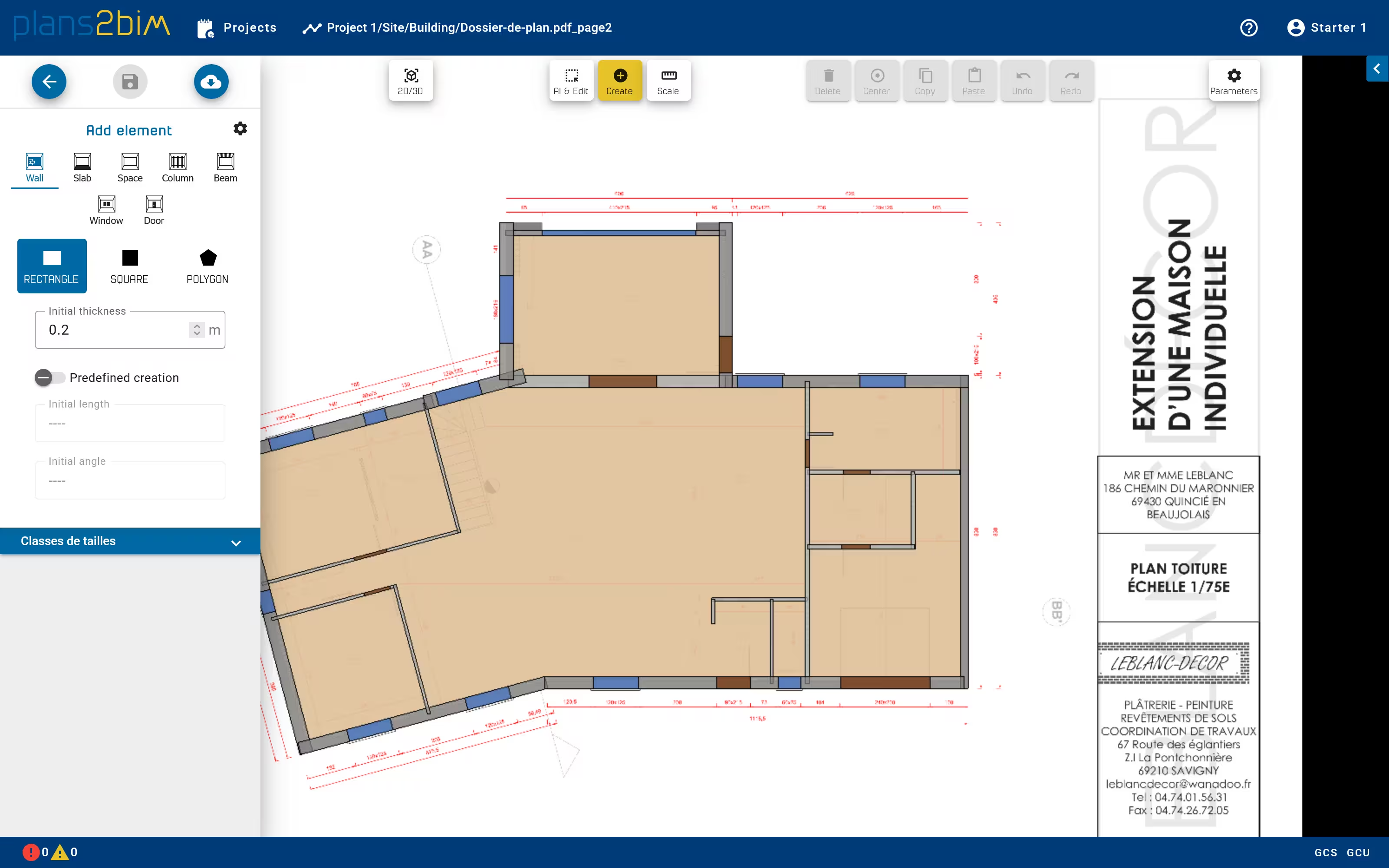
Add a new element
If an element is missing, it is possible to create it manually. All elements and all shapes can be created individually.
To add a new element, user has to swich in creation mode by clicking on Create button in the top menu. From the left panel, choose the category and the shape. Default value of the shape can also be modified, like the initial thickness for rectangle.
The shape is then created graphically from the 2D view. To create a rectangle, user has to click first to precise the beginning of the median line and a second click to finish the creation. To create a polygon, user has to click iteratively on each point until finishing with a double clic.
The creation mode is still valid after creating an element. To quit the creation mode, click on Ai & Edit button or Esc key.