Detect by category: openings, slabs and spaces
When detection by category, or after the detection of all elements, the detection of openings, slabs and spaces can be individually run.
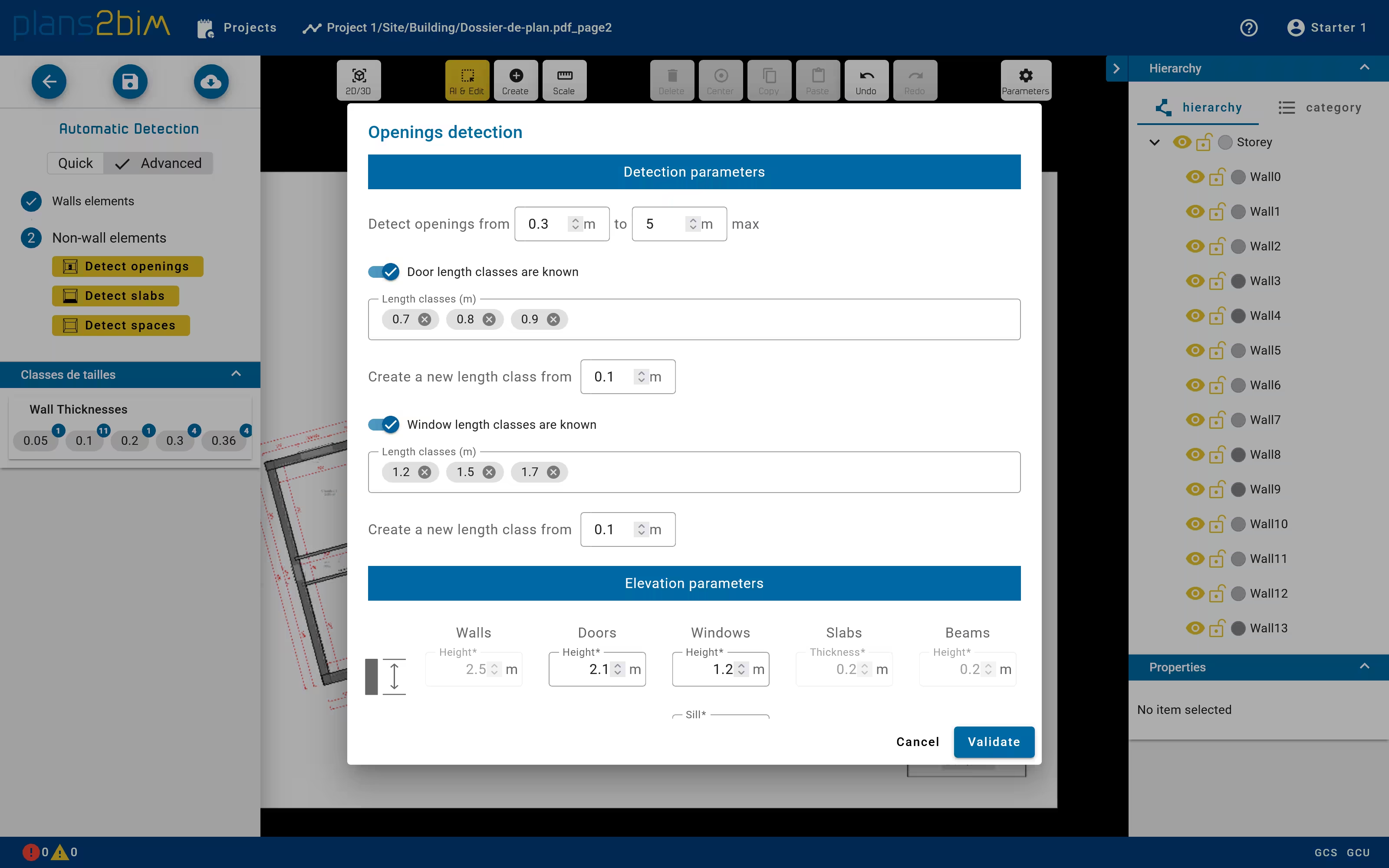
If the geometry of walls is correct, the user could run each algorithm by clicking on the checbox Walls are correct in the left panel. The panel will extent to show three detection button. By clicking on Detect openings button, a pop-up window will be opened to set
- length classes for window and door by defining either the list of desired length if they are known or the maximum number of classes with an automatic definition of length. The minimum gap between two classes can also be defined.
- range of length
- default elevation for windows and doors
By clicking on Detect slabs button a pop-up is opened to specify
- the category of created slab: ceiling, floor or both
- the default thickness of created slabs
By clicking on Detect spaces button a pop-up is opened to specify if the floor coatings should be created for each room.
Each detection is operated after clicking on Validate button. After the computation all elements are added to the scene and the user could check the geometry of each element.
The order of detection does not matter since no interaction exists between openings, spaces and slabs.