Detect by category: wall
When the scale has been set, the automatic detection could be run.
There is two ways to operate
- detect elements by category in successive detection steps
- detect all elements in a single run
The first approach - by category - is recommended since the detection of openings, slabs and rooms depends on the quality of the walls. If walls are missing or misplaced, some openings will also be missing or misplaced. The shape of rooms and slabs will also be uncorrect. For these reasons, it is highly recommended to run the wall detection and correct the geometry of walls at the end of detection before any further detection.
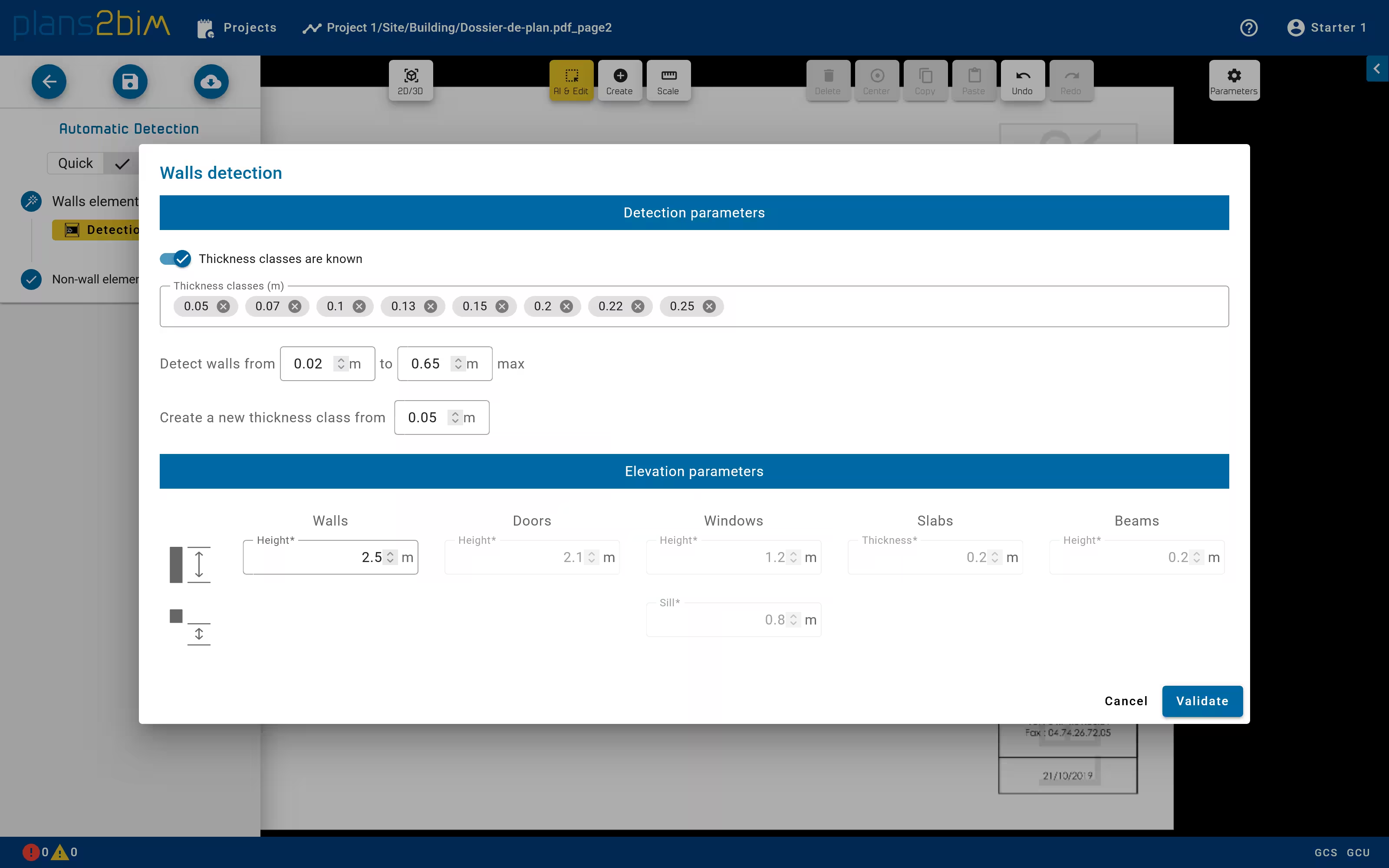
The detection of walls can be run by clicking on Walls elements step Detection button. A pop-up is opened to set the parameter of detection:
- thickness classes by defining either the list of desired thickness if they are known or the maximum number of classes with an automatic definition of thickness. The minimum gap between two classes can also be defined.
- range of thickness
- default elevation of wall