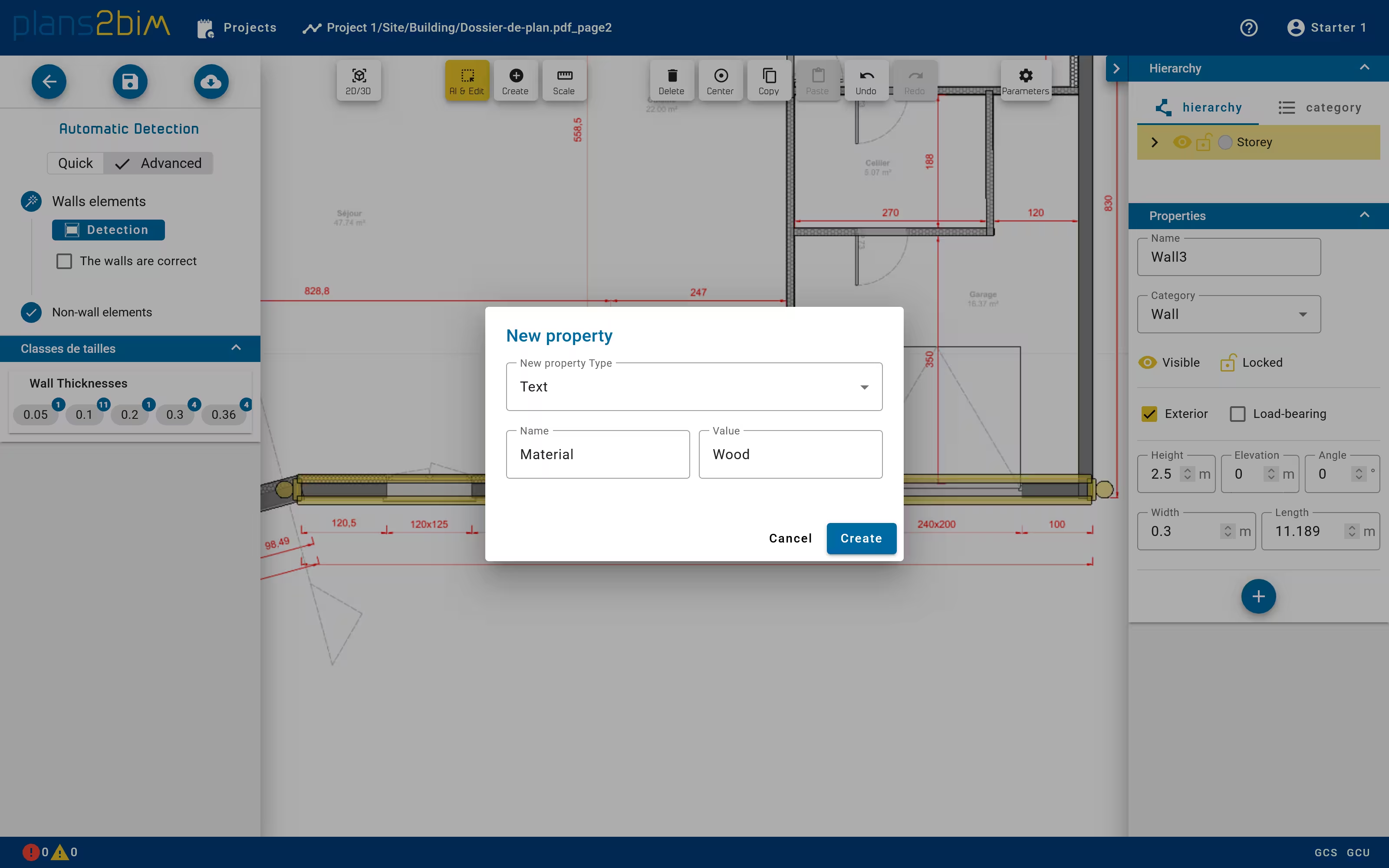
Add properties to elements
In addition to geometry, each element has some properties automatically set during the detection that could be updated:
- Name
- Exterior (Wall)
- Load Bearing (Wall)
- Roof (Slab)
- Hinge position (Windows, Doors)
New properties can be added by clicking on + button located in the bottom of the property editor. A new property can be a text, a numerical or a true/false value, defined with a specific name. In case of multiple selection, such property can be added to all elements, without regard of their category.