Pay to export (Starter)
If the account has no subscription (Starter), one has to pay when exporting the result.
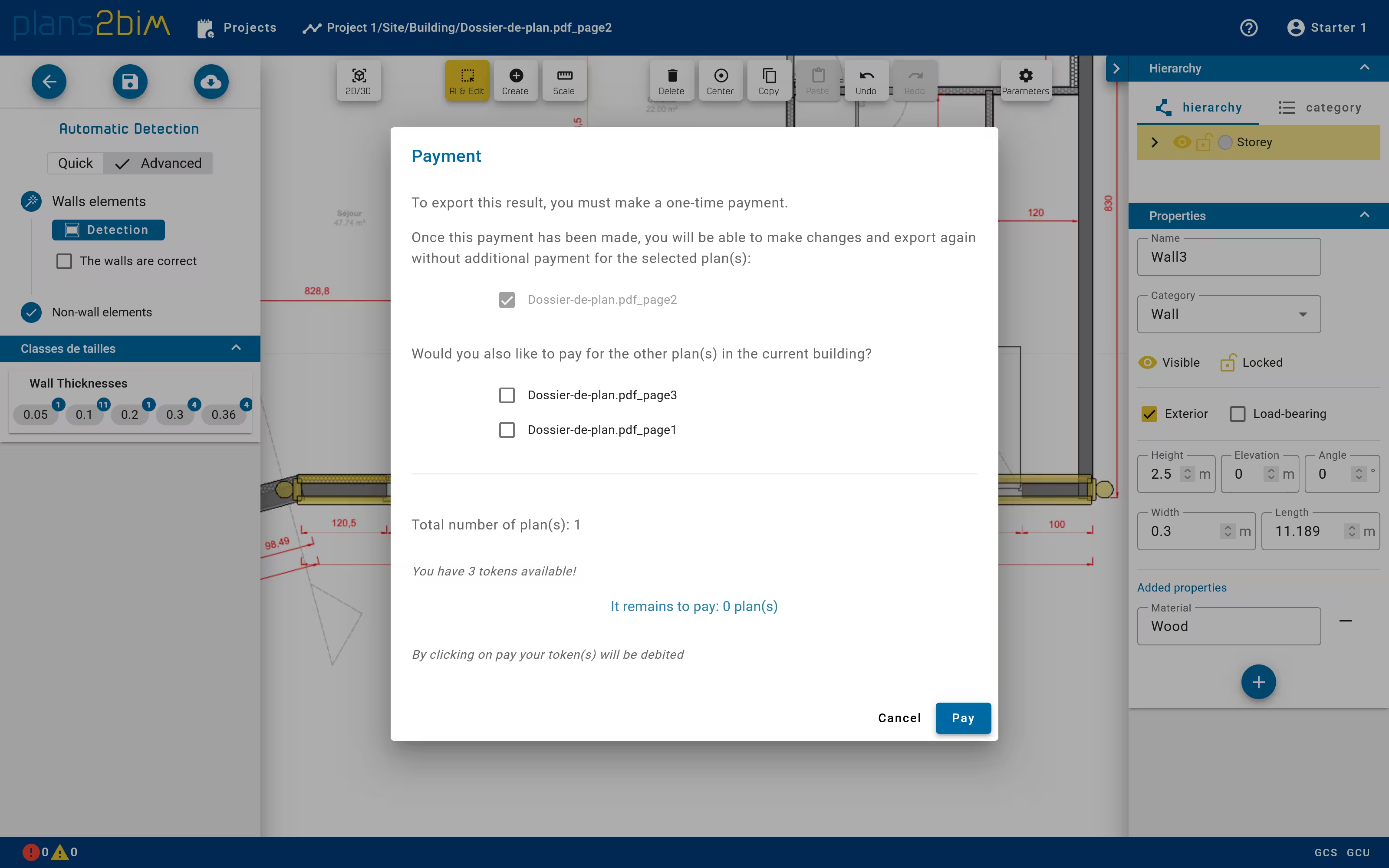
Before exporting, if the plan has not been already paid, a pop-up window is displayed to warn the user that the export has to be paid. In order to limit the number of payments, the user can pay for all plans that are in the same building folder. The payment is unique for each plan, after beeing paid, any element can be modified and the result can be exported with no limit until the plan is not deleted by the user.
By clicking on Pay the user will be redirected on an external page hosted by Stripe, which proposes fast ways like credit cards to achieved this operation. An invoice will be available for each purchase. After the payment, the user will be forwarded to the editor with the current plan.
If the payment has been done and the payment pop-up is still opened, please go the dashboard and open again the plan in the editor.
If tokens are available they will be automatically debited instead of payment.